 FreeDrop
Install guide
Set up FreeDrop in about 10 minutes
Five quick steps. You only do this once.
You need
- A Bushnell Launch Pro or Foresight GC3 / GC3S (with a screen)
- The FreeDrop hood and the camera (Innomaker U20CAM-1080P, about $15 on Amazon; included with Plug & Play)
- A Windows 10/11 PC, GSPro, and your FreeDrop license key from your order email
- Probably a USB-A male to female extension cable: the camera cord is only about 3 ft (1 m)
1 Put the camera in the hood
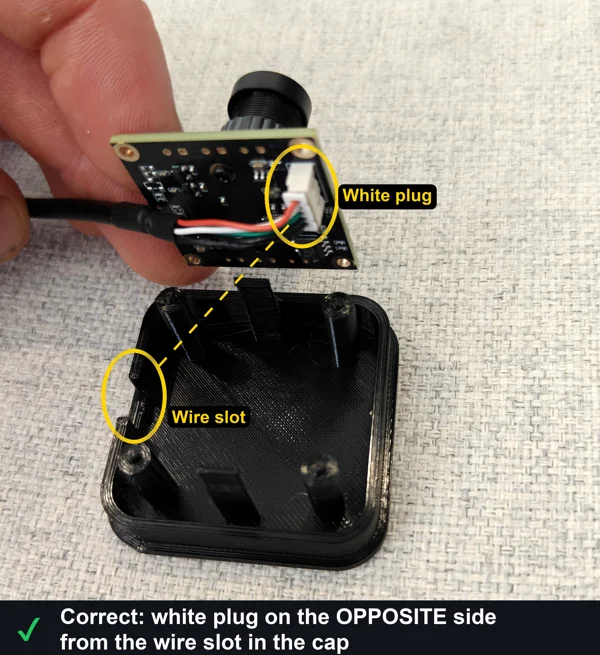
Drop the camera into the cap, then slide the cap into the top of the hood and press until it snaps in. (Plug & Play: already done.)
White plug on the opposite side from the wire slot.
2 Set the hood on the unit and plug in the USB
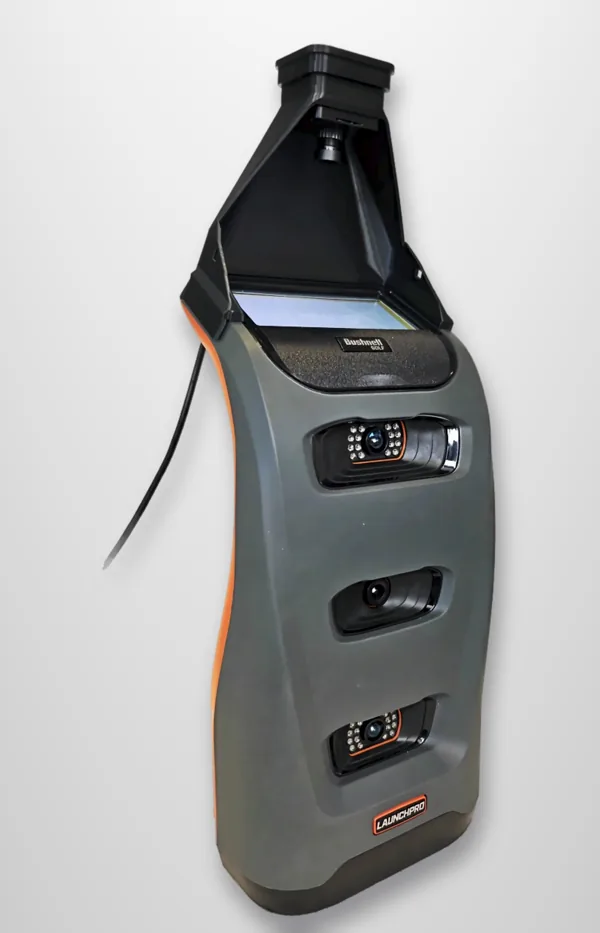
Set the hood flat over the screen and plug the USB into your PC.
Turn the launch monitor's screen backlight on. The camera reads the lit screen.
3 Install FreeDrop
Run the installer from your order email and enter your 10-digit license key. If Windows says "Windows protected your PC", click More info, then Run anyway.
4 Switch GSPro to Open API
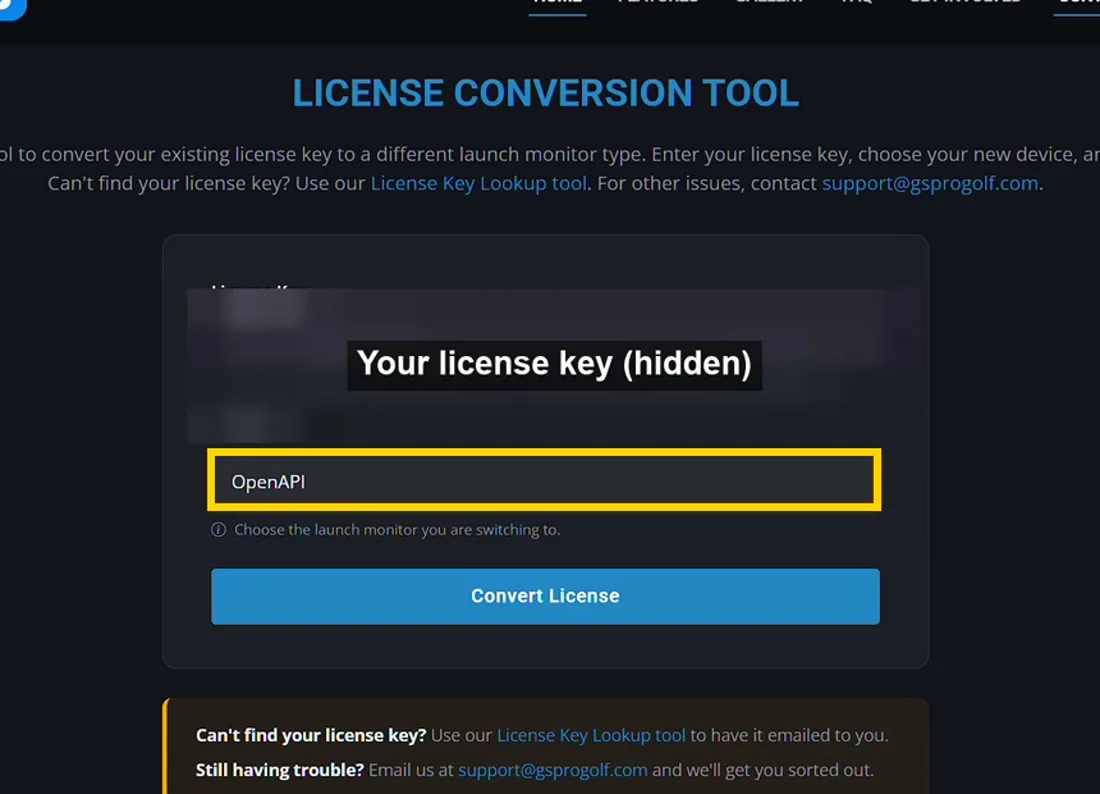
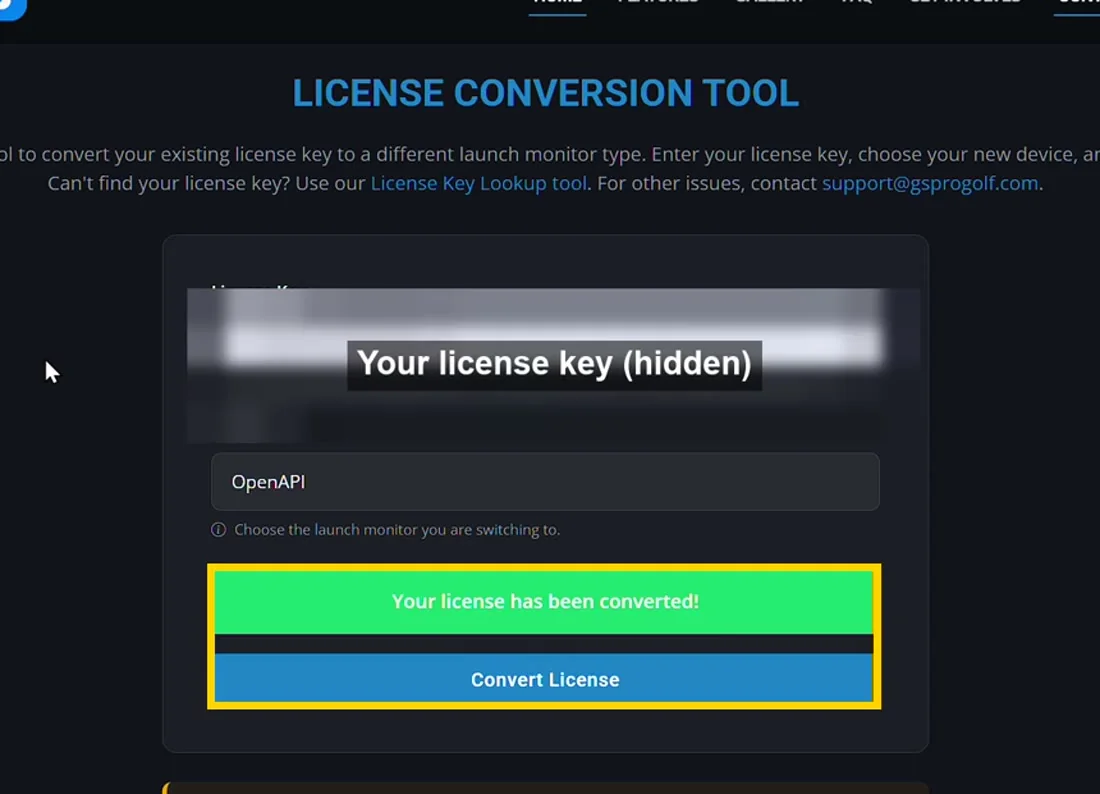
- At gsprogolf.com/convert.html, pick OpenAPI, paste your GSPro license key and click Convert License.
- In GSPro: Settings > System > Reset GSPro Connect.
Instant and free. Switch back any time on the same page.
Show screenshots
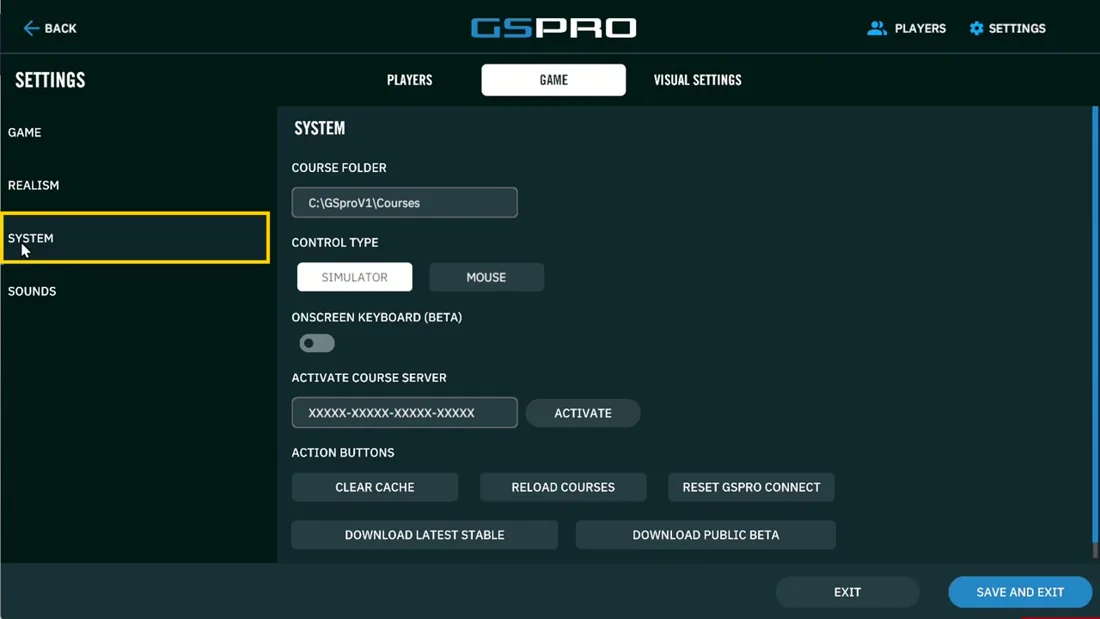
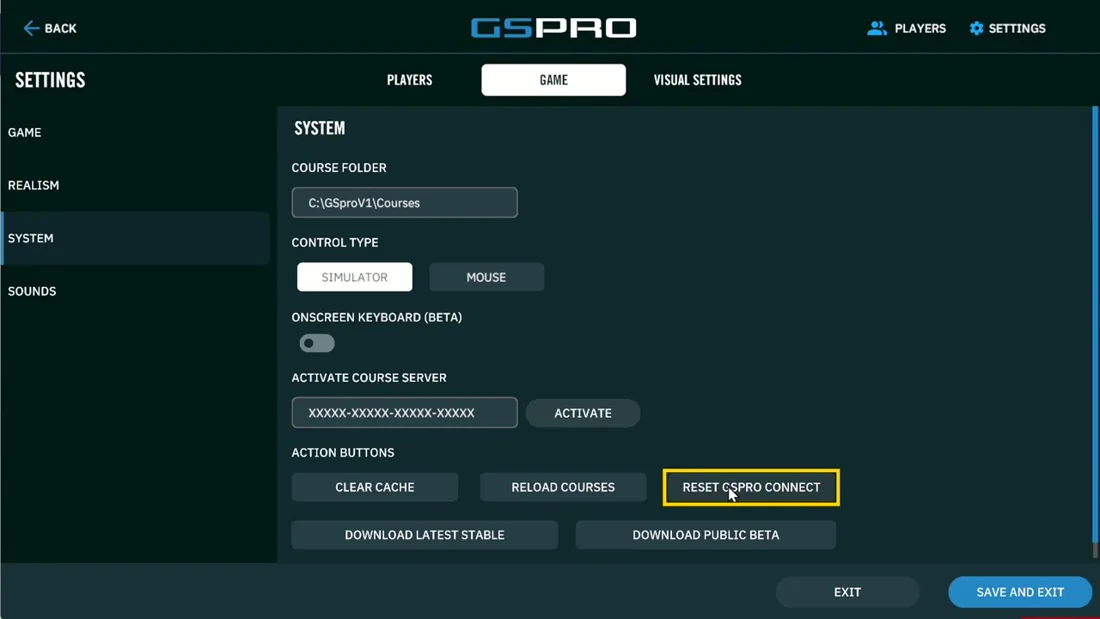
Switching back to Foresight or Bushnell uses GSPro's usual requirements for that type (FSX for Foresight, a Bushnell Gold subscription).
5 Play
Ball in the hitting zone, start GSPro, then start FreeDrop. When it says READY, hit balls.
Optional: glare cover
FreeDrop alerts you if glare on the screen is a problem. Then adjust the lighting or fit the glare cover.
If something is wrong
- "GSPro is not connected": start GSPro, or redo step 4.
- No camera: try another USB port and close Teams, Zoom or OBS.
- One or two numbers missing: a reflection on the screen. Move the unit, change the lighting, or fit the glare cover.
- Screen dark or not READY: backlight on, ball in the hitting zone.
Still stuck? Press S in FreeDrop to save a support file and email it to [email protected].